Research
RATERates
The whole fixed-income picture on one screen: policy rates, the Treasury curve, spreads, real yields, credit, and a plain-language read of what it all means.
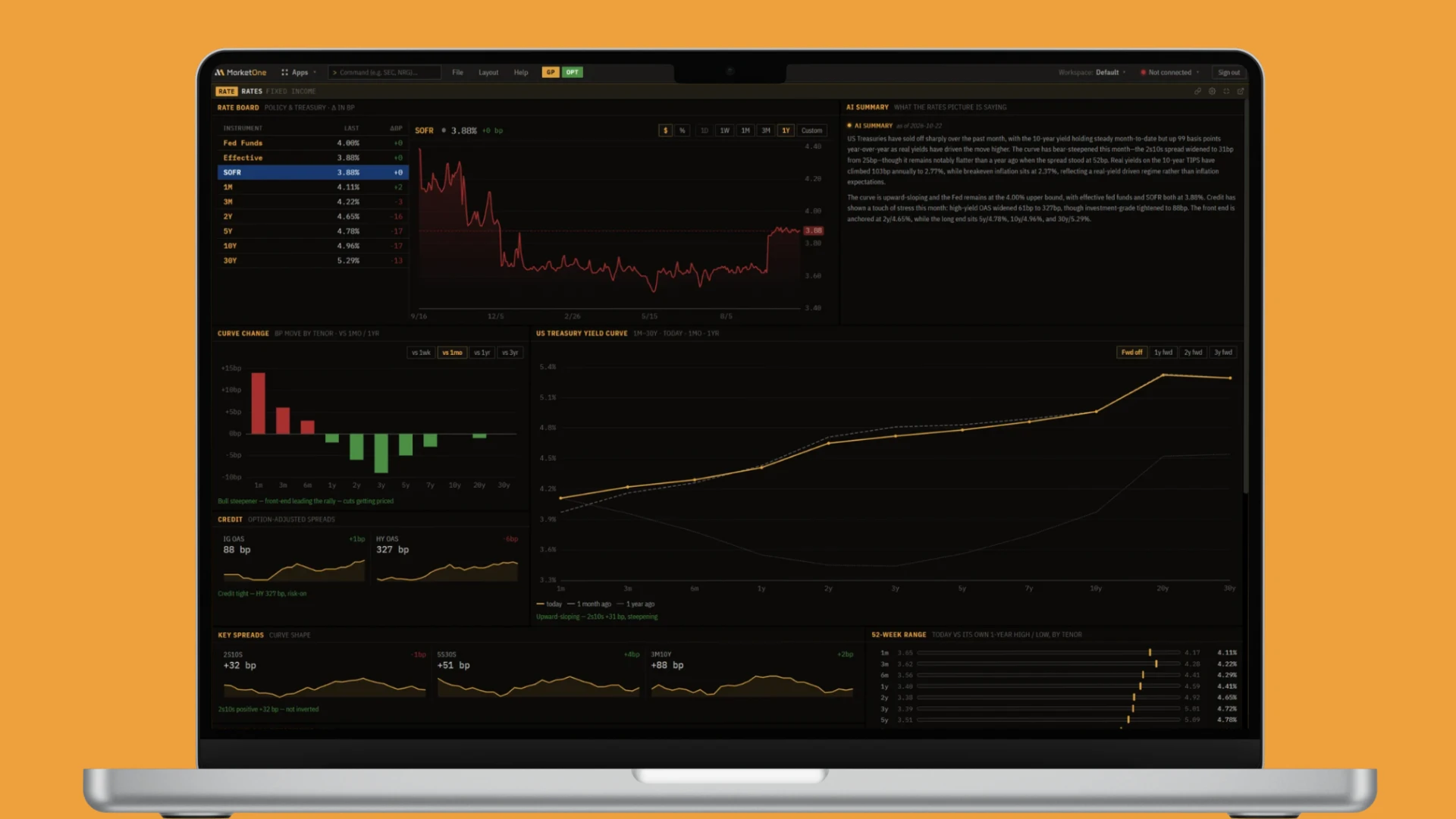
The Rates panel is the bond market on a single screen. Interest rates are the price of money, and almost everything else, stock valuations, the dollar, gold, mortgage rates, is priced off them. The bond market is also the most informed opinion there is on where growth, inflation, and Fed policy are heading, because trillions of dollars vote on it every day. This panel exists so you can read that opinion at a glance instead of stitching it together from ten different places.
Why this panel exists
A rates trader, or anyone who needs rates as context for another trade, is really watching four things at once: the level of rates (how high), the shape of the curve (what the market expects the Fed to do), real vs inflation (how much of the move is growth and how much is inflation), and credit (how much risk the market is willing to take). Each of those lives in a different data source. The panel pulls them together, computes the spreads and moves for you, and writes a plain-language read on top, so the question becomes "what is the bond market saying today?" rather than "where do I find the 5y5y forward?"
Note: Currently this is end-of-day data, not a tick-by-tick live feed. Read it as today's picture of rates, not a live tape.
The rate board
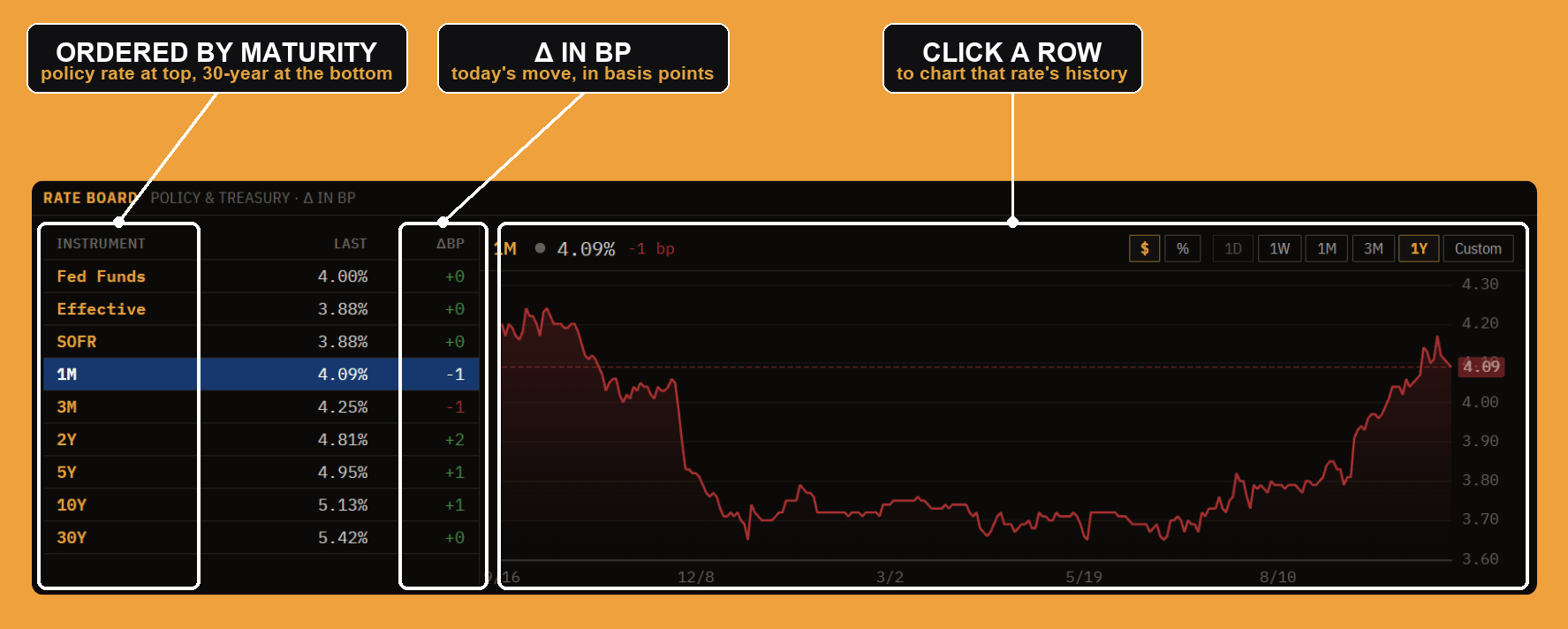
The board is the raw levels, top to bottom from the shortest, most policy-driven rate to the longest bond:
- Fed Funds is the policy rate, the target range the Fed sets (the board shows the upper bound). This is the one rate the Fed controls directly.
- Effective (EFFR) is where fed funds actually trades, inside that target range.
- SOFR is the Secured Overnight Financing Rate, the repo-market benchmark that replaced LIBOR and anchors floating-rate debt and swaps.
- 1M / 3M are Treasury bills, 2Y / 5Y are notes, 10Y / 30Y are bonds. Together they are the Treasury yield curve, from one month out to thirty years.
Each row shows the last level and ΔBP, the change in basis points. A basis point is one hundredth of a percent (0.01%), the unit rates trade in, because the moves are small and precision matters: "the 10-year rose 17 bp" is 0.17%. Click any row and the chart on the right plots that instrument's history; the toggles switch the view between price/percent and the time window (1D through 1Y, or custom). Reading the board top to bottom tells you the level; reading the ΔBP column tells you today's move, and whether the front end (policy expectations) or the long end (growth and inflation) is doing the moving.
The AI summary
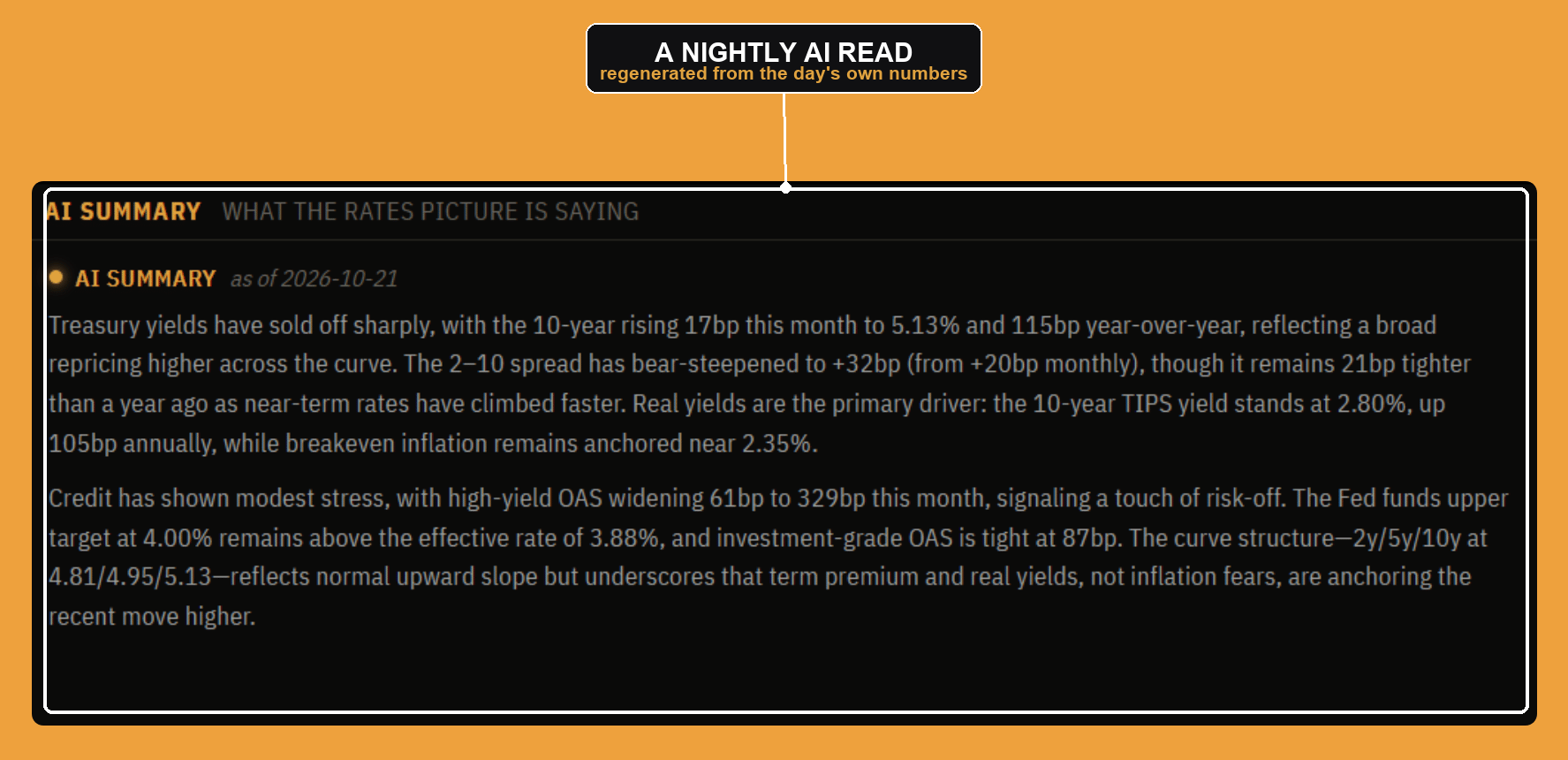
Below the board is a written read of the entire panel, regenerated each night. It is not a canned template: it looks at the actual curve, spreads, real yields, and credit for the day and writes the story, what moved, by how much, and what is driving it (real yields vs breakevens, term premium vs rate-cut expectations, credit stress or calm). Think of it as the desk strategist's morning note, written from the same numbers the rest of the panel shows. It is commentary to orient you, not a trade recommendation.
The 52-week range
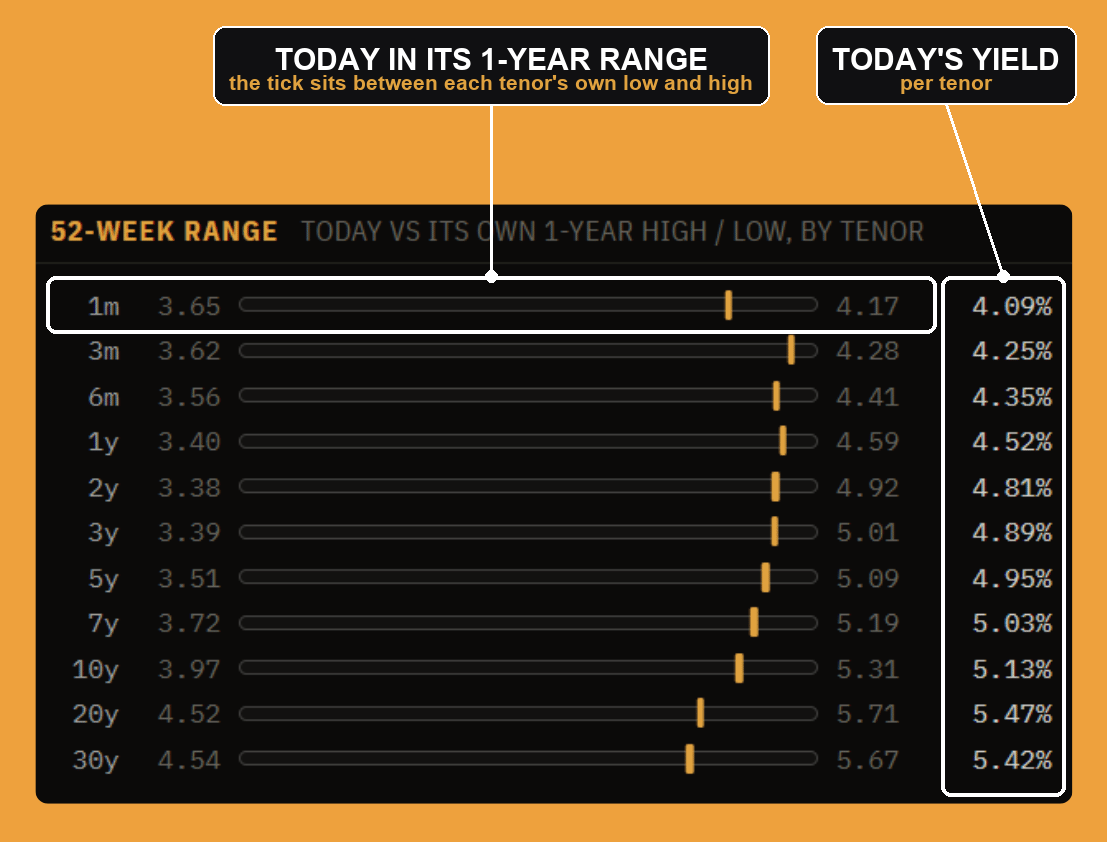
For every tenor from 1m to 30y, this plots where today's yield sits inside that tenor's own one-year high and low. The marker near the right of a bar means the yield is near its 12-month high; near the left means near its low. It answers "is this level extreme or normal for this part of the curve?" in one glance, and it does it per tenor, so you can see, for example, that the front end is pinned near its highs (policy still tight) while the long end has backed off its range. The high and low are each tenor's own one-year extremes.
The Treasury yield curve
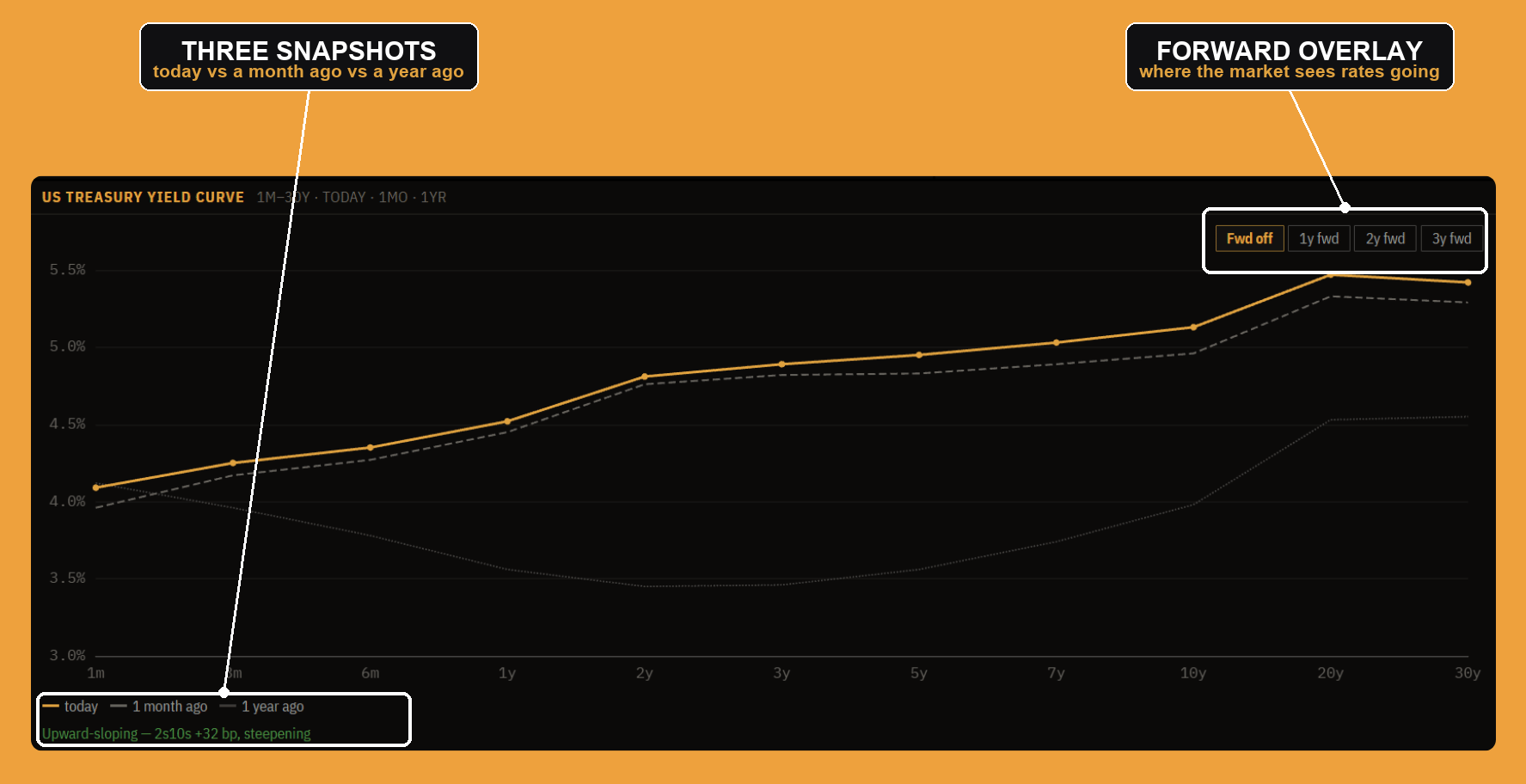
This is the headline chart: yield on the vertical axis, tenor (1m to 30y) on the horizontal. Three lines let you see not just the shape but how it changed, today, one month ago, and one year ago. The forward toggles (1y / 2y / 3y fwd) overlay the curve the market is implying for the future, derived from today's curve, so you can compare where rates are to where the market thinks they are going.
The shape is the story. The line under the chart states it for you, computed from the 2s10s spread (the 10-year yield minus the 2-year, in basis points) and its roughly one-month drift:
- Below about 10 bp either way, the curve is flat.
- Negative 2s10s means the curve is inverted, a classic recession signal (short rates above long rates, because the market expects the Fed to cut). If it is inverting less than a month ago, the label notes it is "dis-inverting."
- Positive means upward-sloping (the normal state), and if the 2s10s widened by more than ~5 bp over the month it is steepening, or flattening if it narrowed.
So "Upward-sloping, 2s10s +32 bp, steepening" is a precise, computed statement: the curve has its normal positive slope and that slope has been getting steeper.
Real yields & breakevens
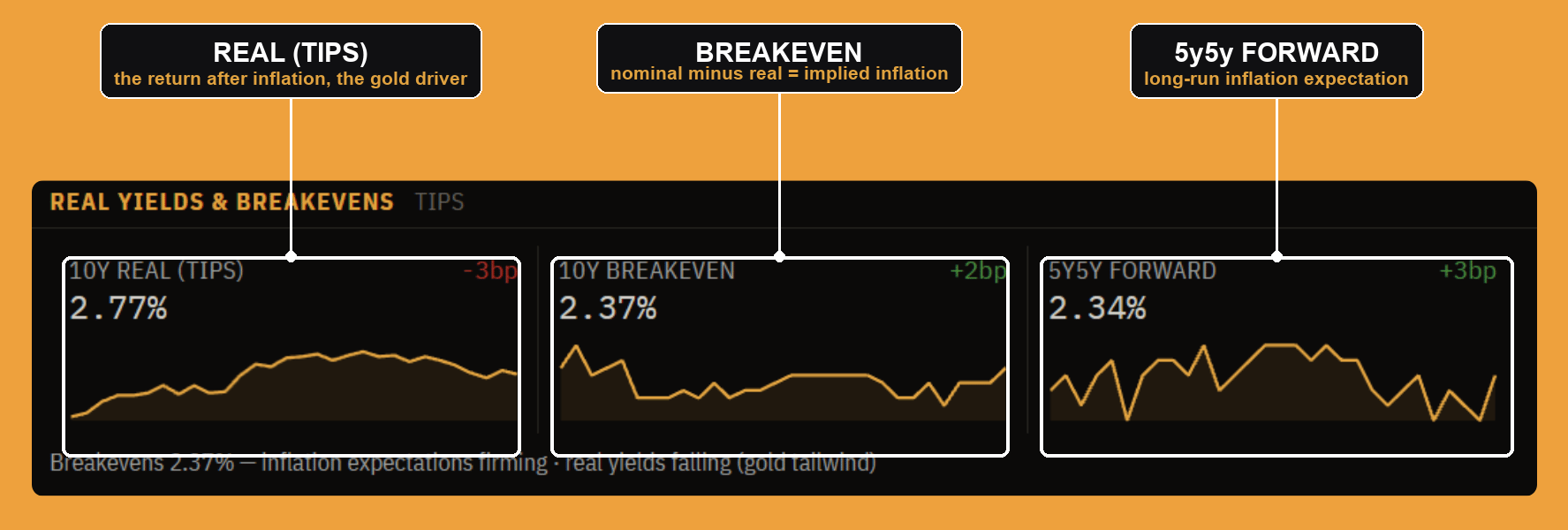
A nominal Treasury yield is two things stacked together: the real yield (the return after inflation) and the market's expected inflation. This block splits them:
- 10y real (TIPS) is the yield on 10-year Treasury Inflation-Protected Securities, the real, after-inflation rate. It is the single most important driver of gold and a key input to equity valuations.
- 10y breakeven is the nominal 10-year yield minus the 10-year TIPS yield. That difference is the inflation rate the market is "breaking even" on, its implied 10-year inflation expectation.
- 5y5y forward is the market's expected average inflation over the five years starting five years from now, the cleanest read on long-run inflation expectations, stripped of near-term noise.
The read-out underneath tells you which way expectations are moving and what it means for gold: breakevens firming or easing (inflation expectations), and real yields rising (a headwind for gold) or falling (a tailwind). Falling real yields with firm breakevens is the classic gold-friendly setup, and the panel calls it.
Credit
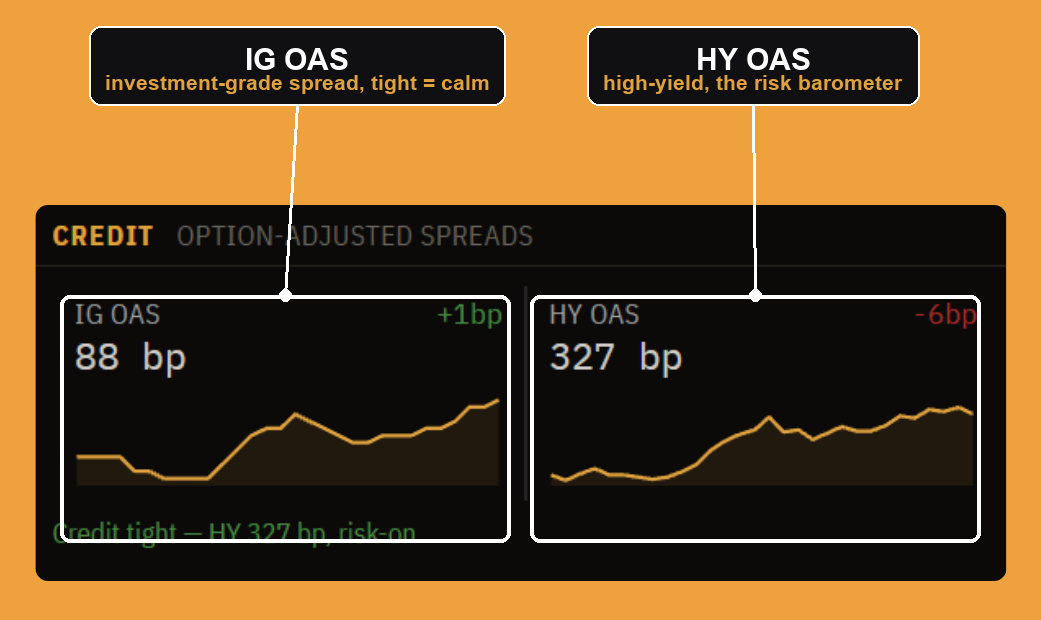
Credit spreads are how much extra yield corporate bonds pay over Treasuries, in basis points, the compensation for default risk. The panel shows option-adjusted spreads (OAS), which strip out the effect of embedded options (like a bond's call feature) so you are comparing clean credit risk:
- IG OAS is the investment-grade spread (safer companies). Tight (low) means the market is relaxed about credit.
- HY OAS is the high-yield spread (riskier, "junk" issuers). This is the real risk barometer: when traders are nervous, high-yield spreads blow out first and fastest.
The state line reads the high-yield spread directly: tight and narrowing is "risk-on"; widening flips to "credit turning cautious." Credit often leads equities at turning points, which is why a rates panel watches it.
Key spreads
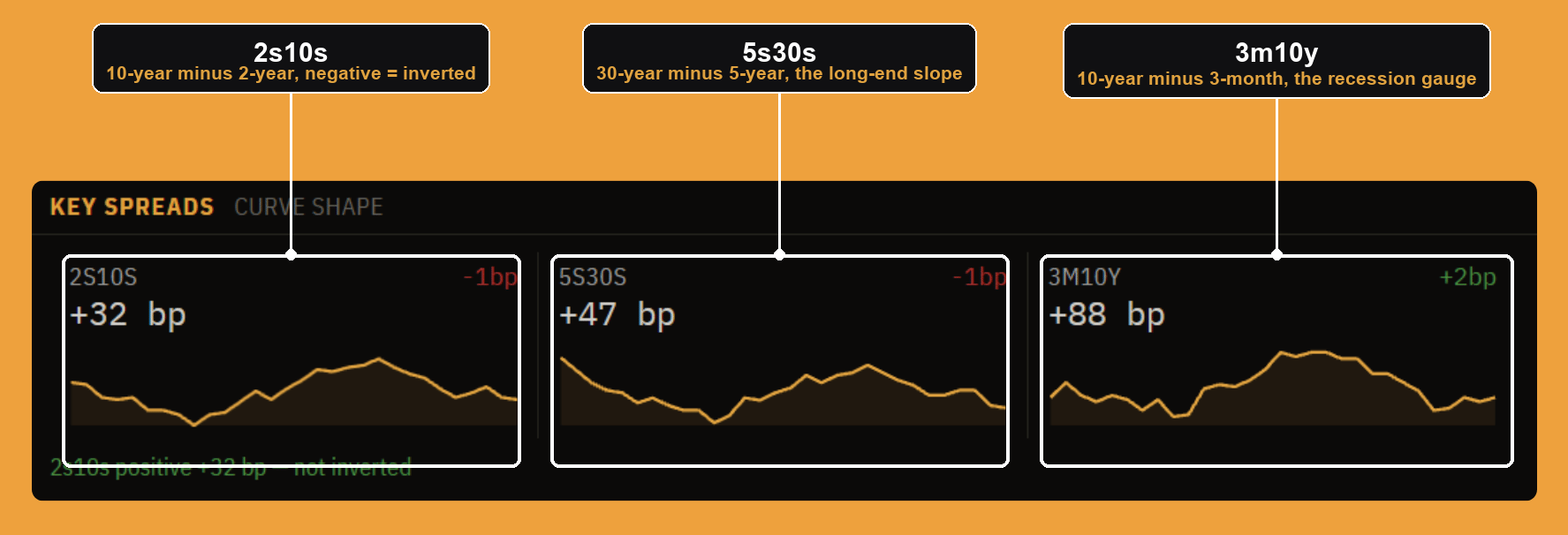
The curve's shape, distilled to the three spreads that matter, each a simple subtraction of one tenor's yield from another:
- 2s10s = 10-year minus 2-year. The most-watched curve measure; negative means inverted.
- 5s30s = 30-year minus 5-year. The slope of the long end, more about term premium and supply than policy.
- 3m10y = 10-year minus 3-month. This is the Fed's preferred recession gauge, the one that research shows predicts recessions best, because the 3-month bill is tied most tightly to the current policy rate.
Each shows the spread in bp and its daily change, with a sparkline for the recent trend. The read-out calls whether 2s10s is inverted or positive, so you get the headline without doing the subtraction.
Historical spread
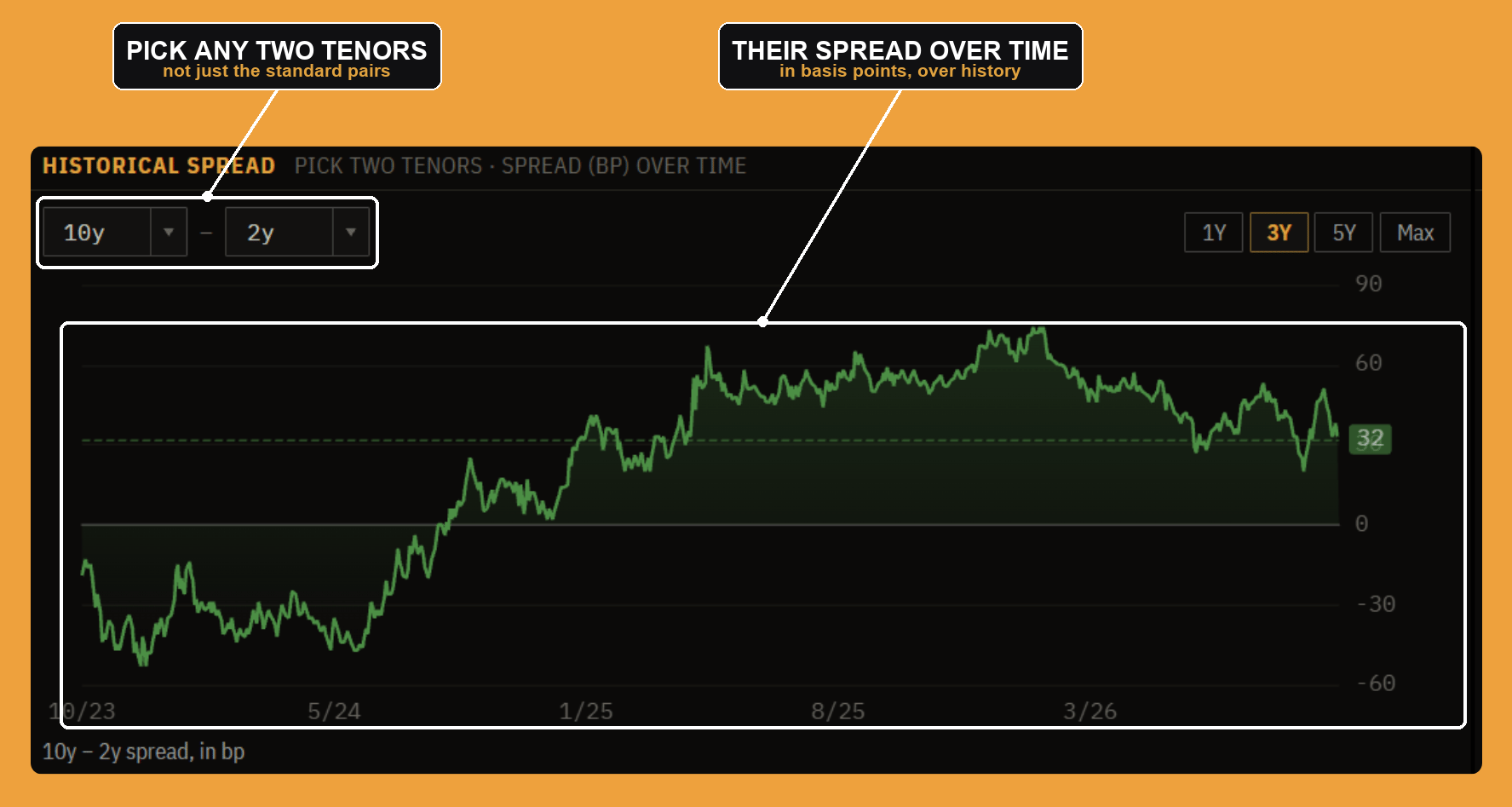
The key-spreads block gives you today's values for the standard pairs; this one lets you build any spread you want and watch it through time. Pick two tenors (say 10y and 2y), choose a window (1Y to Max), and it charts the spread in basis points over history. It is how you answer "how does today's 2s10s compare to the last cycle?" or track a non-standard pair the preset block does not show.
Curve change
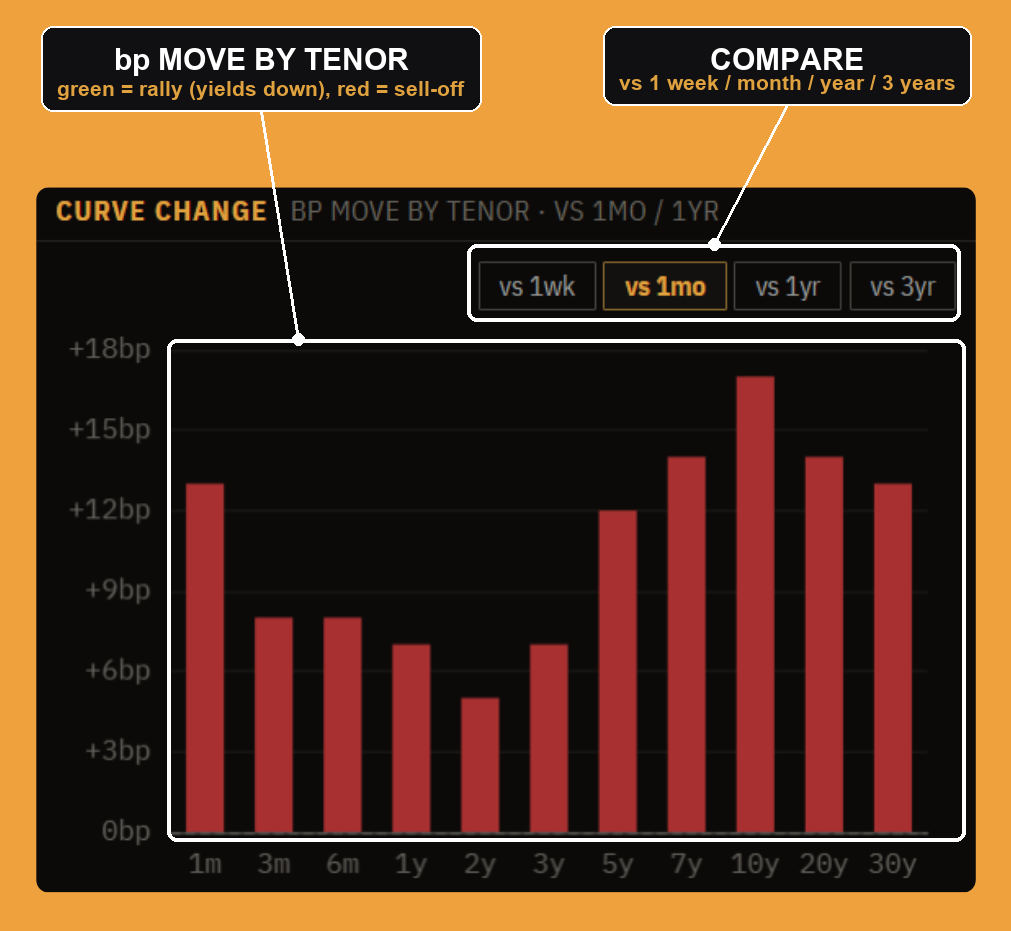
The yield curve shows you where rates are; this shows you how they got there. Each bar is the basis-point move at that tenor versus a prior snapshot (1 week, 1 month, 1 year, or 3 years ago), computed as today's yield minus the old yield, times 100. The bars are colored by meaning, not by sign: yields falling (a bond rally) is green, yields rising (a sell-off) is red, because for a bondholder, falling yields are the good outcome.
The read-out underneath names the move using two numbers, the average change across the 2y and 10y (overall direction), and the change in 2s10s (the slope):
- Yields down = a "bull" move (bonds rallied). Yields up = a "bear" move (sold off).
- 2s10s widening = a "steepener." Narrowing = a "flattener."
That gives four regimes, each with a distinct cause:
- Bull steepener = front-end leading the rally, rate cuts getting priced in.
- Bull flattener = long end leading, growth worries.
- Bear steepener = long end selling off, inflation or supply fears (so "Bear steepener, long end selling off" means the market is demanding more yield to hold long bonds, usually on inflation or heavy issuance).
- Bear flattener = front end selling off, rate hikes getting priced in.
This one chart plus its label is often the fastest way to understand a day in rates: not just that yields moved, but which part of the curve moved and what it implies about the Fed and inflation.
News, rates
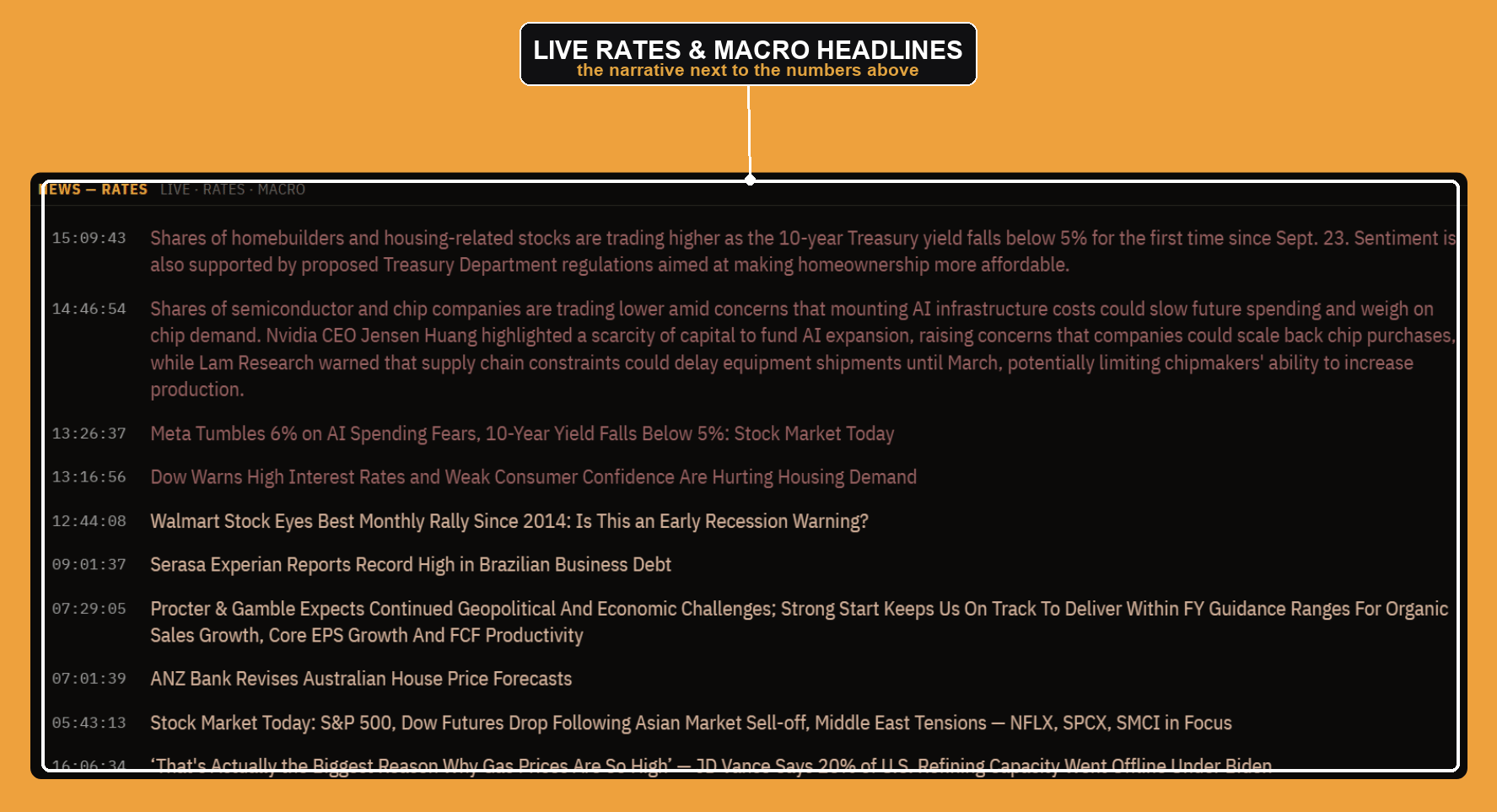
The bottom of the panel is a live headline stream filtered to the rates and macro topics, so Fed speak, Treasury supply, inflation prints, and growth data sit next to the curve they move. It keeps the "why" next to the "what," the narrative running alongside the numbers above it.
Settings and layout
Everything above is the default arrangement, but the Rates board is built to be made yours. It is one of the app's fully configurable panels: you can keep only the parts you use, resize them, and move them around. Not every panel works this way, but this one does.
Rearrange and resize. The window is locked by default (the lock in the bottom bar). Unlock it and every section becomes a tile you can drag to a new spot and resize from its edges, so you can blow the yield curve up on one screen and tuck the board and news into a corner. Lock it again to freeze everything in place. Each window keeps its own arrangement, so a second Rates window can look completely different.
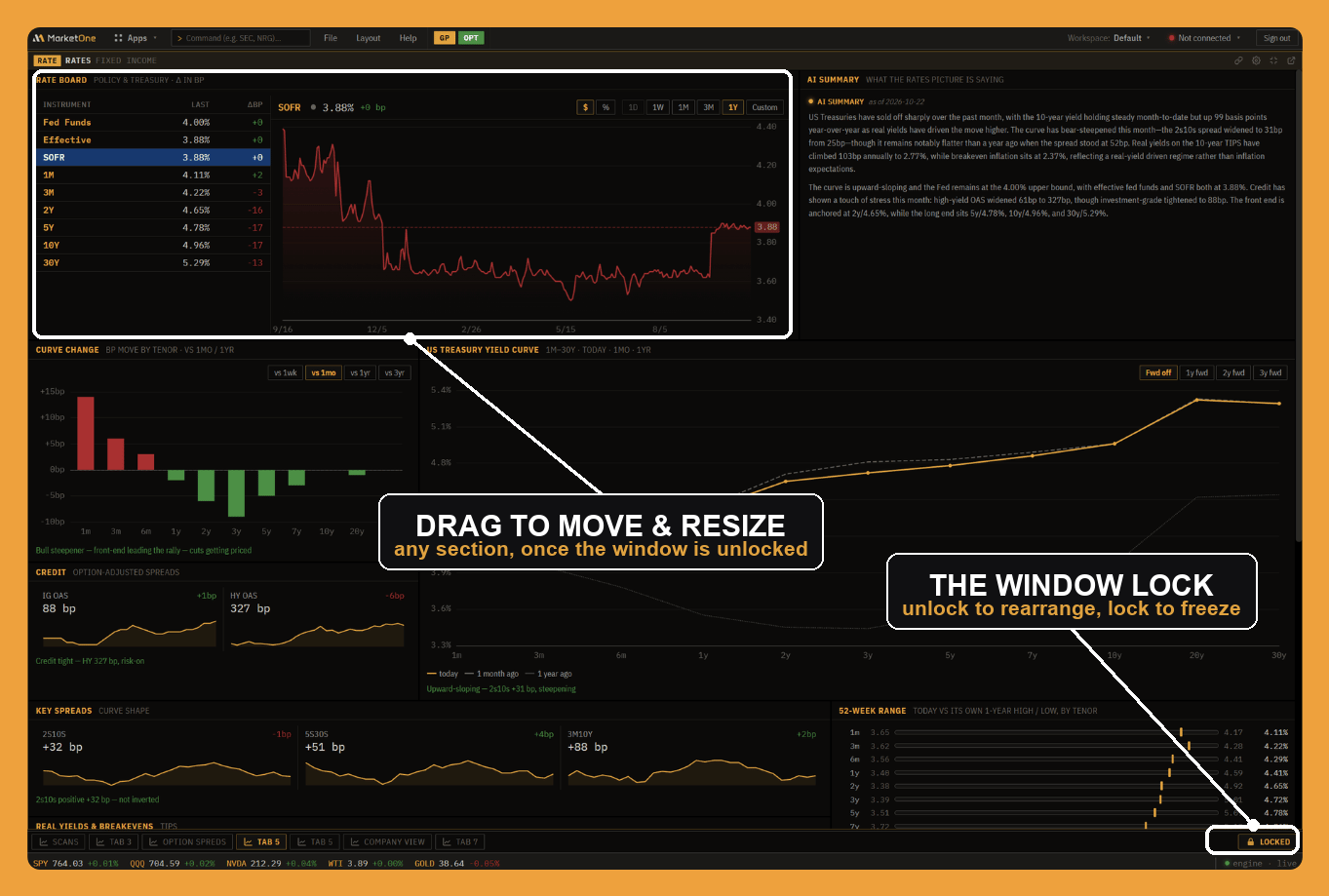
The settings gear, in the panel's top-right, opens the panel's own settings, organized into three tabs:
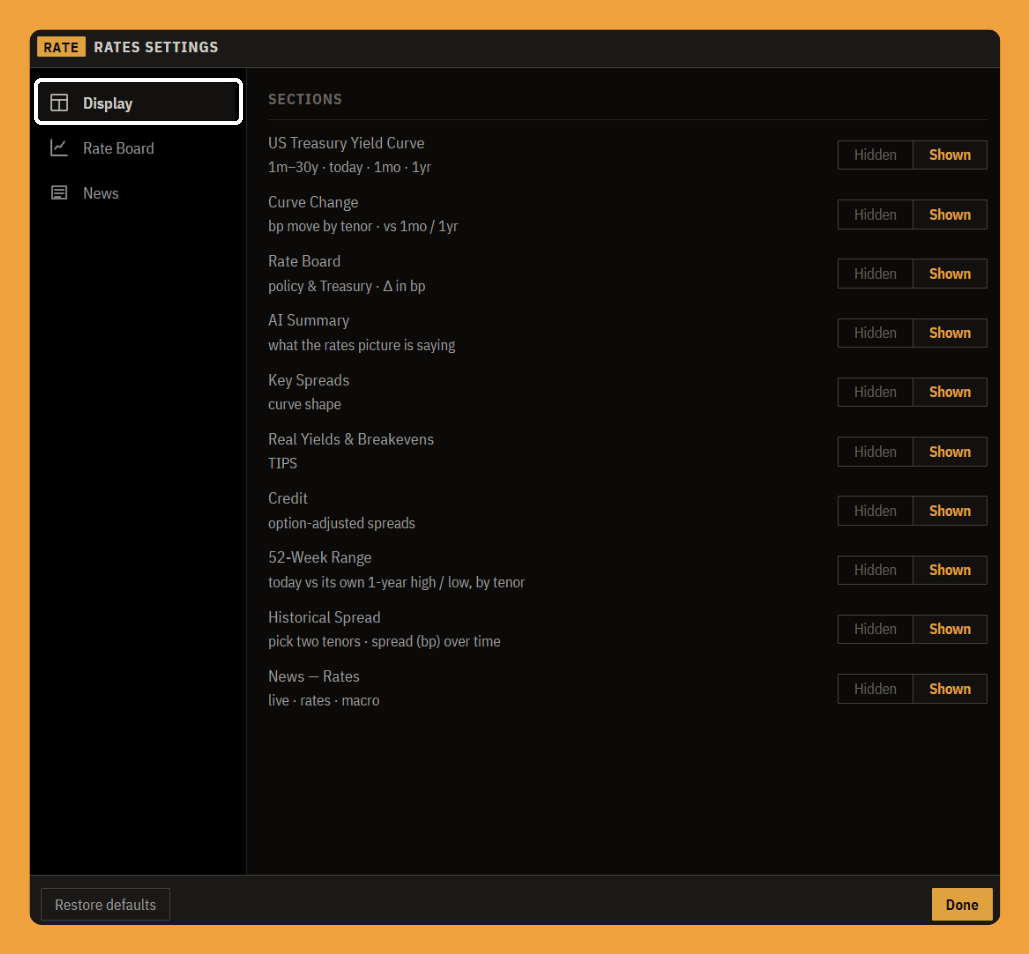
- Display is the show/hide list. Every section of the panel, the rate board, the yield curve, credit, the news feed, and the rest, has a Shown / Hidden toggle, so you can strip the panel down to only the blocks you actually use and give them more room. Hide the AI summary if you prefer the raw numbers, or drop the news feed if you keep headlines in a separate window.
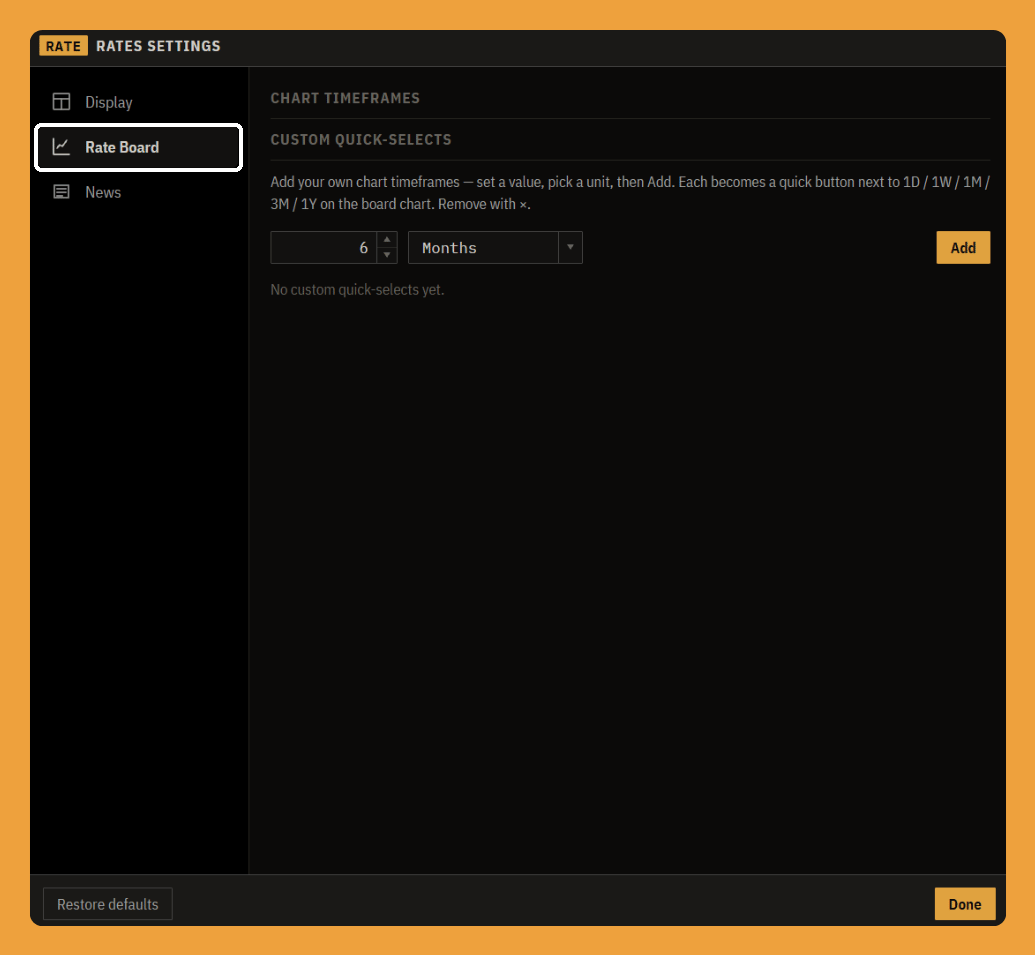
- Rate Board controls the board's history chart. Its main job is custom chart time-frames: type a number, pick a unit (days, weeks, months, years), and it adds a quick button next to the built-in 1D / 1W / 1M / 3M / 1Y, so a window you check often, say 6 months or 2 years, is one click away instead of a custom-range dialog every time.
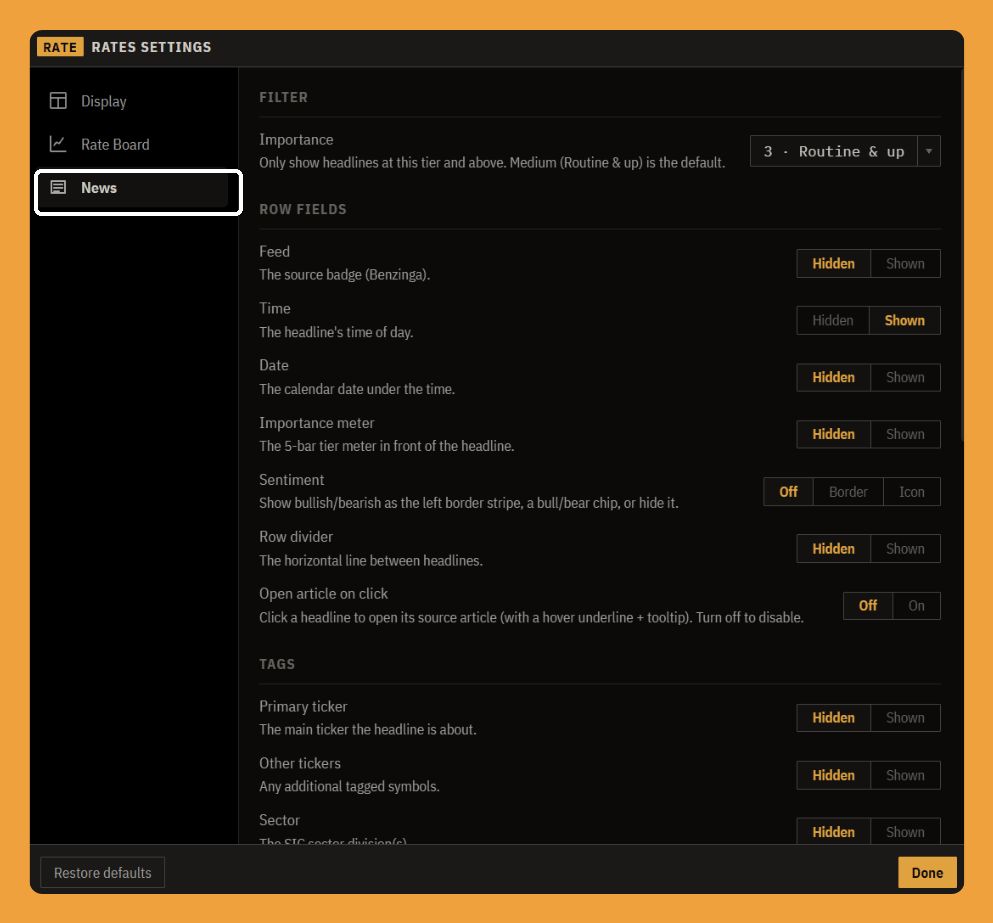
- News tunes the headline feed at the bottom of the panel. An importance filter sets the floor, showing only headlines at a chosen tier and up so you can cut the routine noise, and a set of row-field toggles decides what each headline shows: the source, the time, the date, the importance meter, a sentiment stripe, the tickers it tags, and its sector. You can also turn off click-to-open if you would rather headlines not leave for their source article.
The bottom line
The Rates panel is built so you can read the bond market the way a desk does: start with the level (the rate board), check the shape and how it moved (the yield curve and curve change), split nominal into real and inflation (real yields and breakevens), gauge risk appetite (credit), and let the AI summary tie it together. Every spread and move is computed for you and labeled in plain language, so the panel does the arithmetic and you do the thinking.